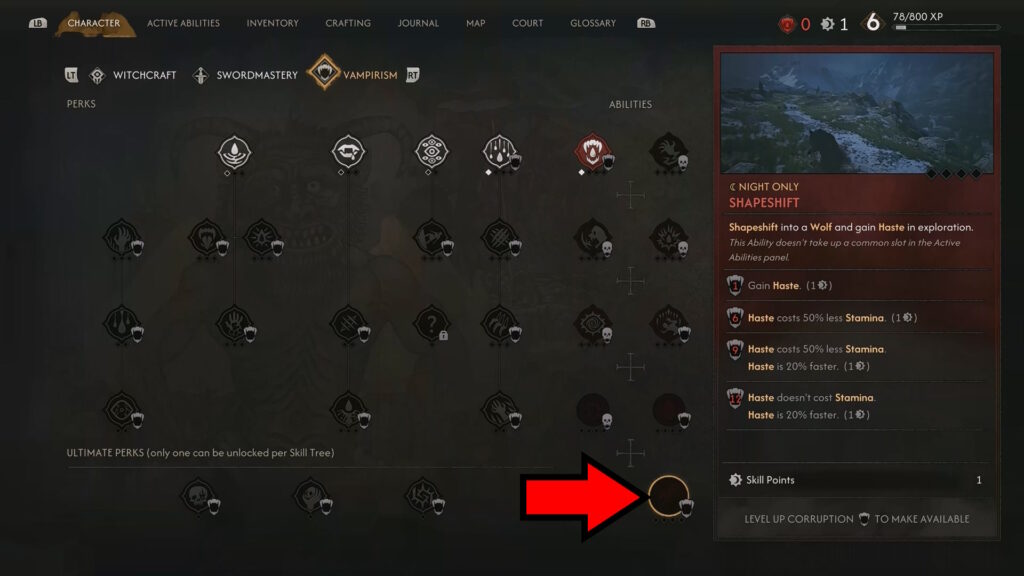
Buy Shapeshift at a Shrine under Perks → Vampirism, then run at night and use the on-screen Haste input to become a wolf. It is not an inventory item and does not require an empty standard active-ability slot. If the perk is already learned, skip to the night-time steps.
THE BLOOD OF DAWNWALKER
How to shapeshift into a wolf
On this page
Buy Shapeshift at a Shrine
- Interact with a working Shrine, choose Perks, then open the Vampirism tree.
- Find Shapeshift in the lower-right area. Select the node and read its displayed Skill Point and prerequisite requirements; resolve any missing condition before purchasing.
- Confirm the purchase and check that the node is learned. Merely seeing its name or an available purchase does not enable wolf form.
Run at night, then trigger Haste
- Confirm that it is night. Read the time cost before waiting. Daytime faster movement uses Mercurial Fervour in Witchcraft, so a daytime test cannot confirm wolf form.
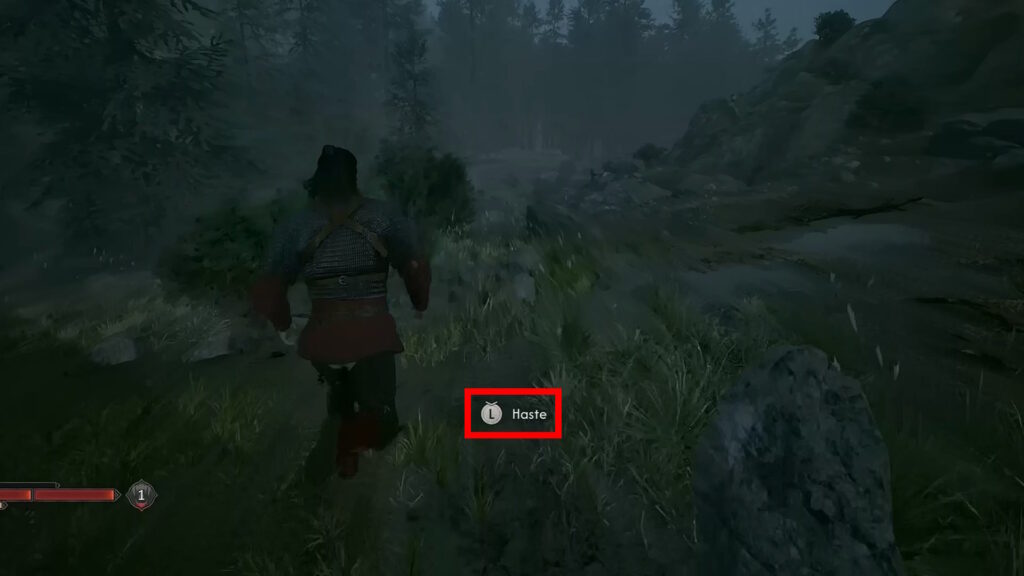
- Close menus and begin a normal sprint in one direction across open ground. Look for Haste while moving; there is no inventory transformation item to use while standing still.
- Use the current input printed beside Haste. The source reports a second sprint input after starting the sprint; if you remapped controls, follow your own Controls screen and prompt.
- Check that Coen changes into a wolf. Keep moving and watch stamina: Haste drains it and ordinary sprint resumes when it runs out. Recover stamina before retrying instead of returning to buy the perk again.
Match the problem to the next action
| What you see | Next action |
|---|---|
| Grey Shrine node | Read and meet its missing conditions, then confirm the purchase |
| Learned perk during daytime | Test at night; check Mercurial Fervour for daytime speed |
| No Haste at night | Close menus, start a normal sprint and keep your direction while checking the prompt |
| Prompt visible, no transformation | Use the displayed binding and check any control remapping |
| Wolf quickly becomes a runner again | Check depleted stamina, recover and retry rather than repurchasing |
If all checks pass but the action still fails, record the current quest state and prompt. A story or special encounter restriction needs case-specific verification; this page does not claim a universal reset.
Confirm completion and continue travelling
- A learned Shrine node plus a successful night-time Haste transformation confirms the route. There is no Shapeshift manual to find afterward.
- Use the appropriate traversal prompt for walls and gaps. Wolf travel does not replace Planeshift or climbing.
For manual-gated powers, use the skill-unlock checklist. Stamina behaviour is reported in the Haste input guide; this site has not measured its duration or verified unlimited sprinting.
The update date records an editorial change, not a retest on the latest patch. Editorial approach & corrections
Did this guide solve your problem?
Feedback uses permitted analytics and includes only this guide, your choices and language.
Report a content problem Public feedback requires a GitHub account; no analytics permission is needed.